8 time trackers.One honest comparison.

Looking for a Clockify, Harvest or Toggl alternative?

This time tracking software comparison puts SpanTime next to eight popular tools: price, offline use, accounts and where your data lives. Every fact comes from their own websites, checked in November 2026.

  • 8 tools compared
  • Prices in US$
  • Checked 25 Nov 2026
  • SpanTime: US$34.99 once
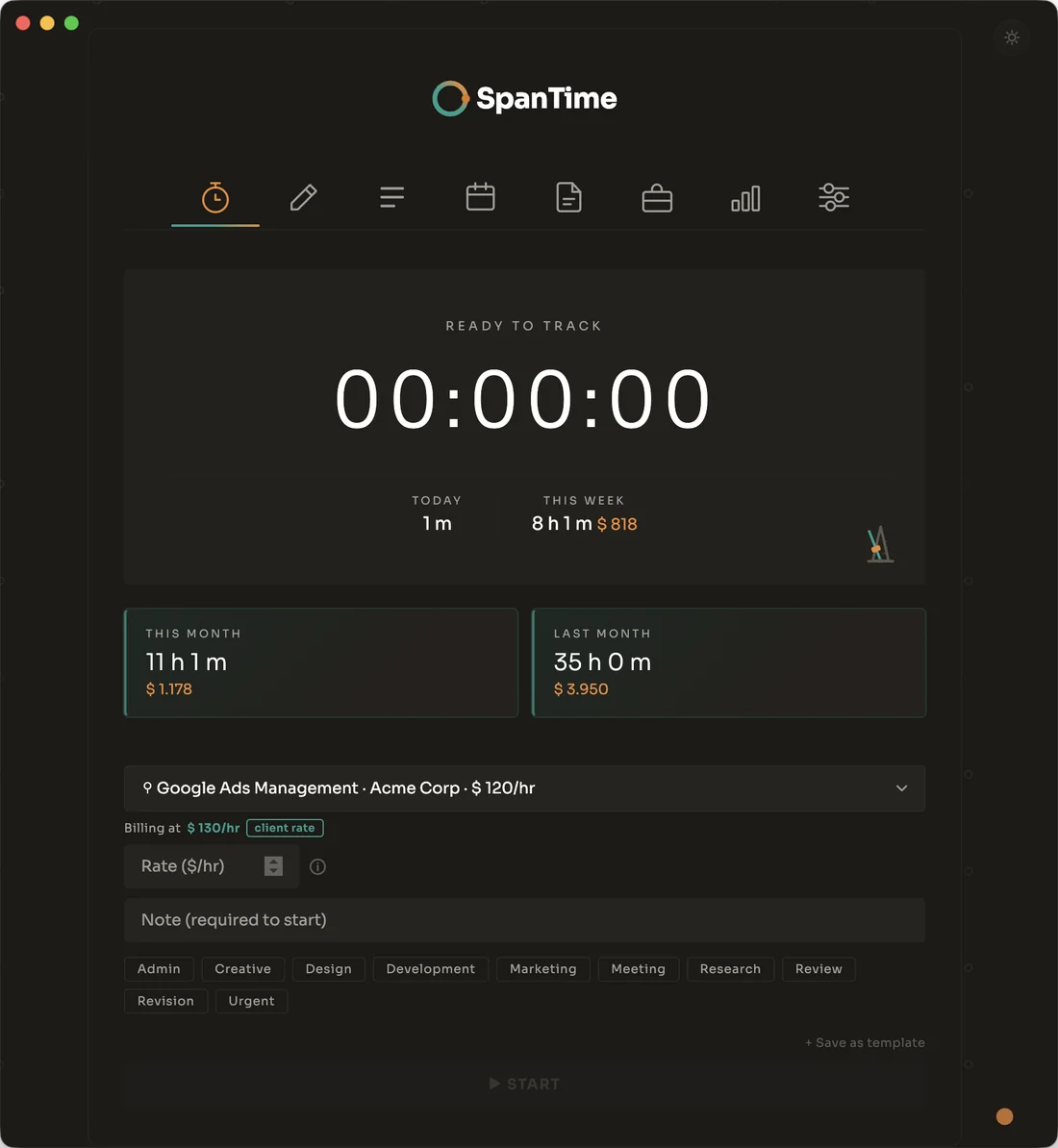
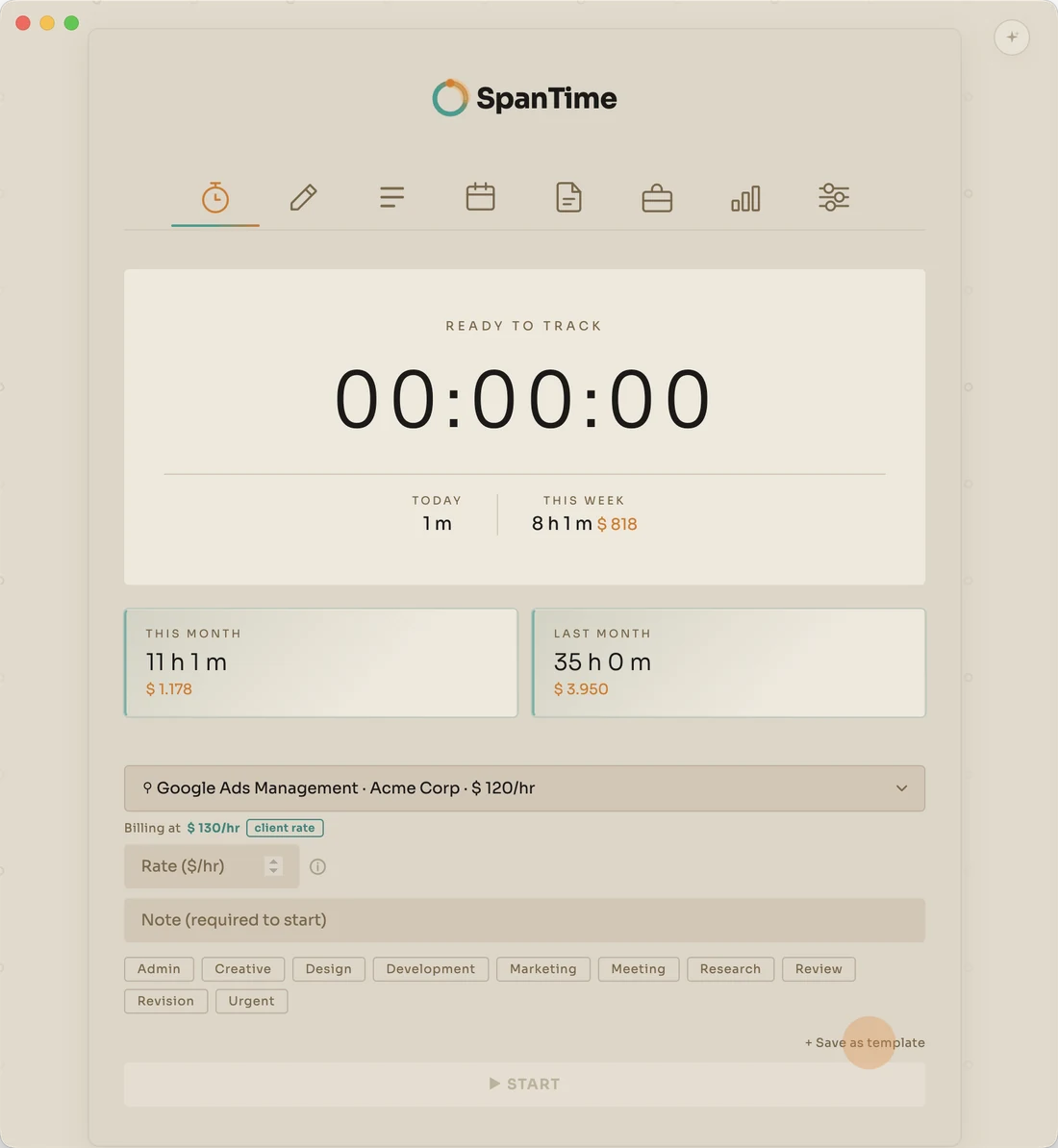
SpanTime time tracking software: the timer window, ready to track.The SpanTime timer window in light mode, ready to track.

09:00Head to head

Pick a time tracker and see how it compares

Start your time tracking comparison with the tool you use now, or the one you're looking at. You get the key facts side by side with SpanTime.

Side by sideToggl TrackSpanTime
Price for one person
US$12/month (Starter)
US$34.99 once
Free plan or trial
Free plan, up to 3 users
15-day free trial
Desktop apps
Mac + Windows
Mac + Windows
Phone apps
iPhone + Android
Planned, no date yet
Works offline
Tracking only, syncs later
Yes, fully
Account needed
Yes
No
Where your data lives
Their servers
On your computer
Screenshots of your screen
No
Never
Creates invoices
No, exports for your invoice tool
No, exports timesheets

Where Toggl Track is strongerFree for up to three people, phone apps, and reports your team can share online. And like SpanTime, it takes no screenshots of your screen.

Where SpanTime is differentNo account and no cloud. Your hours stay on your computer, and you pay once instead of every month.

Billed monthly, Toggl Track costs more than SpanTime from month 3.

More about Toggl Track

10:30The math

What each time tracker costs one person over the years

Over 3 years, Toggl Track (Starter) costs US$432. SpanTime costs US$34.99, once.

Cheapest paid plan for one person, in US dollars, rounded to the dollar. Hubstaff sells at least 2 seats and Everhour at least 5, so one person pays for those. Most of these tools also have free plans with limits, see the table below.

12:00All the facts

The full time tracking software comparison

Clockify vs Toggl, Toggl vs Harvest or Clockify vs Harvest? Use the filter to keep only the tools and topics you care about.

All 8 tools, all 12 topics
Tools
Topics
SpanTime compared with Toggl Track, Clockify, Harvest, Hubstaff, Timing, My Hours, TimeCamp and Everhour
CompareSpanTimeUS$34.99 onceYour pick from aboveToggl TrackUS$12/moYour pick from aboveClockifyUS$4.99/moYour pick from aboveHarvestUS$11/moYour pick from aboveHubstaffUS$14/moYour pick from aboveTimingUS$11/moYour pick from aboveMy HoursUS$5/moYour pick from aboveTimeCampUS$5.49/moYour pick from aboveEverhourUS$50/mo
Price
Price modelPay onceSubscriptionSubscriptionSubscriptionSubscriptionSubscriptionSubscriptionSubscriptionSubscription
Cheapest plan for one person, billed monthlyUS$34.99 onceUS$12/month (Starter)US$4.99/month (Basic)US$11/month (Teams)US$14/month (Starter, 2-seat minimum)US$11/month (Professional)US$5/month (Basic)US$5.49/month (Starter)US$50/month (Team, 5-seat minimum)
Same plan, billed yearlyNo subscriptionUS$9/monthUS$3.99/monthUS$9/monthUS$9.98/monthUS$9/monthUS$4/monthUS$3.99/monthUS$42.50/month
Free plan or trial15-day free trialFree plan, up to 3 usersFree planFree plan: 1 seat, 2 projects14-day free trial30-day free trialFree plan, up to 5 usersFree planFree plan, up to 5 seats
Apps
Desktop appsMac + WindowsMac + WindowsMac + WindowsMac + WindowsMac + Windows + LinuxMac (Windows in beta)Web app, installed from the browserMac + Windows + LinuxMac only (Windows coming)
Phone appsPlanned, no date yetiPhone + AndroidiPhone + AndroidiPhone + AndroidiPhone + AndroidWeb app on iPhoneiPhone + AndroidiPhone + AndroidiPhone + Android
Privacy and data
Works offlineYes, fullyTracking only, syncs laterYes, with limitsNo (phone apps only)Yes, syncs later–No, needs internetYes, syncs laterNo
Account neededNoYesYesYesYesOnly for sync and extrasYesYesYes
Where your data livesOn your computerTheir serversTheir serversTheir serversTheir serversOn your Mac, optional syncTheir cloudTheir cloudOnline service
Screenshots of your screenNeverNoOptional–Optional, up to 3 every 10 min–NeverOptional (Ultimate plan)Optional (Team plan, separate app)
Billing and exports
Creates invoicesNo, exports timesheetsNo, exports for your invoice toolYes, Standard plan and upYes, also on the free planYes, Grow plan and upNo, exportsYesYes, Starter plan and upYes, Team plan
ExportsPDF, CSVPDF, CSV, XLSXPDF, CSV, ExcelCSV–PDF, XLSX, CSV, HTMLPDF, XLSExcel–
  • Yes
  • Partly
  • No
  • Not mentioned on their website

We checked every fact on each company's own website on 25 November 2026. Prices are regular prices, not sale prices. Prices and features change, so we can't guarantee everything here is still current. Please check their website before you decide. Spotted something out of date? Let us know. All product names are trademarks of their owners. We're not connected with any of them.

Sources we checked

13:30Tool by tool

Time tracker alternatives, one by one

Looking at Toggl alternatives, Clockify alternatives or Harvest alternatives? Here's each tool in plain words: what it does well, and where SpanTime is different.

SpanTime vs Toggl Track

A Toggl Track alternative without the monthly bill

Toggl Track is one of the best known time trackers. It's clean, easy to learn and free for up to three people. The Starter plan costs US$12 a month, or US$9 billed yearly. The desktop app keeps tracking offline, but you need a Toggl account and your hours sync to their servers. Want a Toggl alternative that stays on your computer and costs money only once? That's what SpanTime does.

Better pick if your team shares reports online, or you track on your phone.

SpanTime vs Clockify

A Clockify alternative with no login and no screenshots

Clockify has one of the most generous free plans out there, and paid plans start at US$4.99 a month. The desktop apps track offline with a few limits, and the Windows app can take screenshots once an admin switches that on. Comparing Clockify alternatives because you don't want an account or a screenshot feature? SpanTime has neither. It's an alternative to Clockify that stays on your own computer.

Better pick if you need a free plan for a team, or invoices inside the tracker.

SpanTime vs Harvest

A Harvest app alternative that works offline

Harvest is popular with agencies because time tracking and invoicing sit side by side. It's free for one person with two projects, and the Teams plan costs US$11 a month. One catch: its desktop and browser apps need an internet connection. Among the Harvest alternatives here, SpanTime is the offline time tracker that never goes online at all.

Better pick if you want to send invoices straight from your time tracker.

SpanTime vs Hubstaff

A Hubstaff alternative for people who work alone

Hubstaff is made for managers who track a team. It offers optional screenshots, apps for Mac, Windows and Linux, and offline tracking. The Starter plan is US$7 per seat with a two-seat minimum, so even one person pays US$14 a month. Looking for Hubstaff alternatives just for yourself, without monitoring? SpanTime is the calmer choice.

Better pick if you manage a remote team and want activity monitoring.

SpanTime vs Timing

A Timing app alternative for Mac and Windows

Timing is a Mac app that records which apps and websites you use, all by itself. Your data stays on your Mac unless you switch on sync. Professional costs US$11 a month, or US$108 a year, and the Windows app is still in beta. SpanTime works differently: you start a timer for a client or project, on Mac and Windows alike.

Better pick if you want your whole day on the Mac recorded automatically.

SpanTime vs My Hours

A My Hours alternative that runs without internet

My Hours is free for up to five active users and comes with phone apps and invoices. Basic costs US$5 a month. Its desktop timer is a web app that needs an internet connection, and your data is stored in their cloud. SpanTime is offline time tracking software: it's installed on your computer and doesn't need the internet at all.

Better pick if a small team wants a free online timesheet.

SpanTime vs TimeCamp

A TimeCamp alternative that keeps your data local

TimeCamp has a free plan with unlimited users and projects, plus apps for Mac, Windows and Linux. Starter costs US$5.49 a month. You need an account, and your hours sync to TimeCamp's cloud. Screenshots are an option on the Ultimate plan. SpanTime keeps everything on your own computer instead.

Better pick if you need a Linux app, or a free plan for a big team.

SpanTime vs Everhour

An Everhour alternative for one person

Everhour is built for teams and is free for up to five seats. The paid Team plan has a five-seat minimum, so one person pays at least US$50 a month. The desktop app is Mac only for now and doesn't work offline. For a freelancer on their own, SpanTime costs less than one month of that. Weighing Everhour vs Harvest? Both have free plans: Everhour for up to five seats, Harvest for one seat and two projects.

Better pick if a team of up to five wants a free tracker.

14:30Fair is fair

When another time tracker is the better choice

The best time tracking software is the one that fits how you work. There's no single best time tracking app for everyone. Here's when we'd send you somewhere else.

  • You track as a team. SpanTime is made for one person. Toggl Track, Clockify and Harvest share hours across a whole team.
  • You want invoices built in. SpanTime exports a timesheet for your invoice. Harvest, Clockify and TimeCamp write the invoice for you.
  • You track on your phone. Our apps for iPhone and Android are planned, but there's no release date yet. Most tools here already have them.
  • You need it free. Clockify, Toggl Track, TimeCamp and others have free plans. If one covers what you need, use it.
  • You want automatic tracking. Timing records your apps and websites by itself. In SpanTime, you start the timer.
  • You manage staff. Hubstaff and TimeCamp offer optional screenshots. SpanTime doesn't, on purpose.

Everyone else: if you work on your own, want your hours private and are tired of subscriptions, SpanTime was made for you.

15:30Questions

Questions, answered

There isn't one for everyone, which is why we made this time tracking software comparison. Teams that share hours online do well with Toggl Track, Clockify or Harvest. If you work alone, want your data private and don't want a subscription, SpanTime is the best time tracking app for that job.

It depends on how you work. Among the Toggl alternatives here, Clockify comes closest for a team and has a bigger free plan. For one person who wants no account and no subscription, try SpanTime. It runs on Mac and Windows and costs US$34.99 once.

Both are solid and both have free plans. On price, Toggl Track vs Clockify is clear: Clockify starts lower, at US$4.99 a month against US$12, and includes invoices from the Standard plan up. Toggl Track says it takes no screenshots. Neither works without an account.

Yes. SpanTime is an offline time tracker: it never needs the internet, and there's no account to sign in to. The desktop apps of Toggl Track, Clockify, Hubstaff and TimeCamp can track offline too, but they sync to their servers once you're back online.

If you don't manage a team, you probably don't need screenshots or activity monitoring, so an alternative to Hubstaff can be much simpler. Toggl Track says it takes no screenshots, and Clockify's screenshot feature stays off unless an admin turns it on. SpanTime has none at all, and it's the only one here that works without an account.

Clockify has the biggest free plan, and paid plans start at US$4.99 a month. Harvest builds invoicing in, even on its free plan, and Teams costs US$11. Hubstaff is made for managing teams, with optional screenshots, and starts at US$14 a month because of its two-seat minimum. So Harvest vs Clockify is mostly invoicing against price, and Hubstaff vs Clockify is team monitoring against a free plan. TimeCamp vs Clockify is closer: both have free plans and paid plans from around US$5.

SpanTime is one. Try it free for 15 days, then pay US$34.99 once in the Mac App Store or the Microsoft Store. Every other tool in this comparison is a monthly or yearly subscription.

Not yet. Apps for iPhone and Android are planned, but we can't promise a date. Today SpanTime runs on Mac and Windows computers.

Unlike many time tracking software reviews, we only used each company's own website: pricing pages, feature pages and help articles. Prices are regular prices in US dollars, not sale prices. Everything was checked on 25 November 2026. Things change, so please check their site before you buy.

17:00Get SpanTime

Try the alternative free for 15 days

No account, no subscription. Of all the time tracker alternatives here, SpanTime is the only one you pay for once: US$34.99, and it's yours.

ReceiptSpanTime

Buy it once, keep it

SpanTime for Mac or Windows1×

One-time priceUS$34.99

Monthly fee$0.00

Account requiredNo

UpdatesFree, forever

Free trial15 days

PaidOnce

Included

25 languagesincl.

Light and dark themeincl.

PDF and CSV exportincl.

Prices vary by country. The App Store and Microsoft Store show yours in your local currency, including tax.

SPANTIME · NO RENEWAL DATE

Scan to keep this receipt

Thank you for not subscribing.

Also available

Make it your own

SpanTime can be rebranded into a time tracker of your own: your logo, your colors, your app name on every screen. We've already built one this way for a client.

Same reliable app underneath, styled to look like it was built for your business alone. Get in touch and we'll talk about what that looks like for your small business or agency.

SpanTime

00:42:10

Earned so far $84.33

Stop

Your colours your logo, your app name

  1. 1Send your brandLogo, colours, name
  2. 2We build and testMac and Windows
  3. 3Your team installsYour own installer
Ask about a custom version

17:30Also made for

More ways to use SpanTime